Five small simulations in the header of this blog
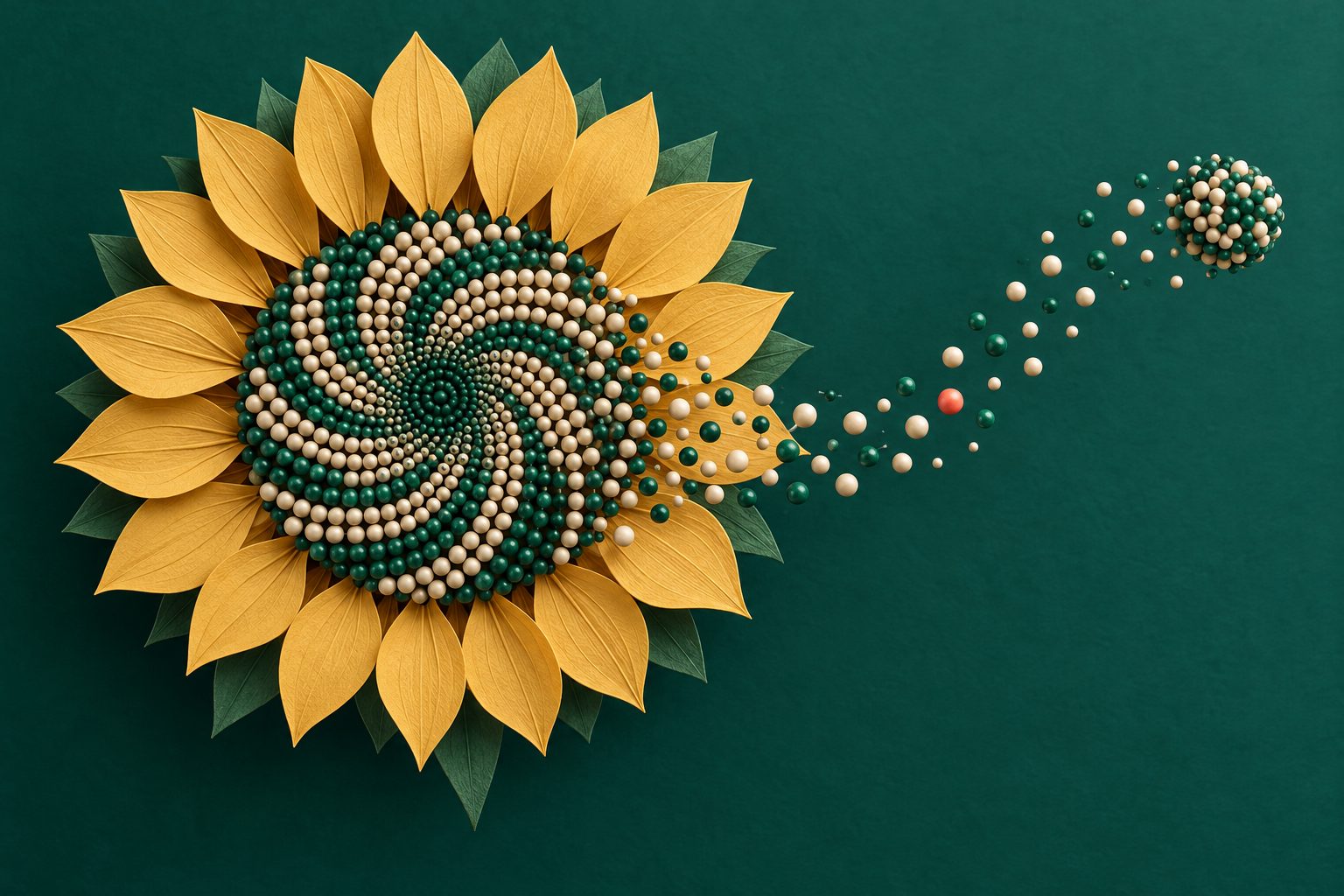
Look at the top of this page: something is moving :). Every post on this blog now has a small simulation running in its header, and the home page borrows the one from its newest post.
There are five of them, and each one is built on a single small idea. This article goes through all five, with a toy version of each that you can play with.
None of the ideas below are new, what I want to show is how little code each of them needs.
The setup
All five scenes share the same skeleton: one canvas behind the site name and one loop. A scene is just a function that draws a frame.
function frame(time) {
	var dt = Math.min(60, time - last) / 1000; last = time;
	ctx.clearRect(0, 0, S.W, S.H);
	scene.draw(time, dt);
	if (running) requestAnimationFrame(frame);
}
Every bead you see is the same little picture: a shaded sphere drawn once into a 64 pixel canvas and then stamped all over the place with drawImage. Building a gradient for every bead on every frame would be way too slow, stamping a picture a thousand times is nothing.
How do you put 1150 beads on a sphere?
The first thing you try is a latitude and longitude grid, and it looks bad: the beads crowd together at the poles.
The trick that works is called a Fibonacci lattice. Walk from one pole to the other in equal steps of height, and turn by the same angle at every step:
$$ y = 1 - \frac{2i + 1}{N}, \quad r = \sqrt{1 - y^2}, \quad \theta = i \cdot \varphi $$
and bead number $i$ sits at $(r \cos\theta, y, r \sin\theta)$.
Equal steps of height work because of a very old result (Archimedes): the area of a slice of a sphere depends only on how tall the slice is, not on where you cut it. So every bead gets the same amount of surface.
The angle is the interesting part. Try it:
Drag the sphere to turn it. Move the angle slider just a little and watch what happens.
At 135° the beads line up in 8 neat rows with empty space between them, because 8 turns of 135° bring you exactly back where you started. Any “nice” angle has this problem. The golden angle
$$ \varphi = \pi (3 - \sqrt{5}) \approx 137.5^\circ $$
is the turn that never lines up with itself, so the beads spread out as evenly as they can. In code it is four lines:
var GOLDEN = Math.PI * (3 - Math.sqrt(5));
for (var i = 0; i < N; i++) {
	var y = 1 - 2 * (i + 0.5) / N, r = Math.sqrt(1 - y * y), a = i * GOLDEN;
	beads.push({ x: r * Math.cos(a), y: y, z: r * Math.sin(a) });
}
Faking 3D on a flat canvas
A 2D canvas knows nothing about depth, so we do three small things by hand.
Rotate. Two rotations per bead: one about the vertical axis (the slow spin) and one tilt towards the viewer.
Sort. Draw the far beads first and the near ones on top of them. This is the painter’s algorithm, and it is one line.
Light. On a unit sphere the position of a bead is also the direction it faces. So “how bright is it” is just the dot product with the direction of the light.
var x1 = b.x * cosY + b.z * sinY, z1 = -b.x * sinY + b.z * cosY;   // turn about the vertical axis
var y2 = b.y * cosX - z1 * sinX,  z2 = b.y * sinX + z1 * cosX;     // then tilt towards the viewer
b.lit = Math.max(0, x1 * LX + y2 * LY + z2 * LZ);                   // how much it faces the light

order.sort(function (p, q) { return p.sz - q.sz; });                // far beads first
Switch them off one by one to see what each does:
With the far side shown and sorting off, beads from the back get painted over the ones in front.
The header version hides the far side completely and puts one big green circle with a gradient under the beads, so it looks like there is something inside. That is the whole “membrane”.
The waves of green light are also cheap. Imagine a flat sheet sweeping through the sphere along some direction $d$. A bead $b$ glows when it is close to the sheet:
$$ glow = \exp\left(-\left(\frac{b \cdot d - p}{w}\right)^2\right) $$
where $p$ is how far the sheet has travelled and $w$ is how thick the glow is. When the sheet leaves the sphere, pick a new random direction and start again.
The sunflower
Take the same golden angle and use it on a flat surface instead of a sphere:
$$ r = c \sqrt{i}, \quad \theta = i \cdot \varphi $$
Seed number $i$ goes at distance $c \sqrt{i}$ from the centre. The square root is there to keep the seeds evenly packed: the area of a disc grows with the square of its radius, so the radius has to grow with the square root of the number of seeds.
Being off by a fifth of a degree is enough to break the packing into spiral arms. Real sunflowers and pine cones get this angle right, which I find amazing.
In the header I let the angle drift by 0.28° back and forth, very slowly. That is the whole animation: the arms wind up, dissolve and wind the other way. Tick “Let it drift” to see it.
The double helix
A helix is a point going around a circle while it also moves forward. If $x$ is the position along the axis and $p$ is the length of one full turn:
$$ \theta = \frac{2 \pi x}{p} + t, \quad y = A \cos\theta, \quad z = A \sin\theta $$
We draw $y$ on screen and keep $z$ as depth: beads with a bigger $z$ are closer, so they are drawn bigger, brighter and last. Adding the time $t$ to the angle makes the whole thing turn.
The second strand is the same curve, started a bit later. And here is the detail I like: it does not start half a turn later.
Drag sideways to turn it by hand.
At 180° you get the perfectly symmetrical DNA from every logo. In real DNA the two backbones are not opposite each other, which is why it has one wide groove and one narrow groove. I used 155° because it looked right, not because I measured anything :).
The base pairs are just a few small dots placed on the straight line between the two strands, every third bead.
Game of Life
This one is a nod to the CHIP-8 emulator and its big pixels. Conway’s Game of Life has two rules:
- a dead cell with exactly 3 live neighbours comes alive
- a live cell with 2 or 3 live neighbours stays alive, every other cell dies
Click or drag on the grid to draw cells. Try "Clear", then "Add a glider".
The grid wraps around: what leaves on the right comes back on the left, same for top and bottom. So the world is really the surface of a doughnut, and a glider can travel forever. The wrap-around is just a modulo when you look up the neighbours:
var up = ((y + rows - 1) % rows) * cols, mid = y * cols, down = ((y + 1) % rows) * cols;
var lf = (x + cols - 1) % cols, rt = (x + 1) % cols;
var n = grid[up + lf] + grid[up + x] + grid[up + rt] + grid[mid + lf] + grid[mid + rt]
      + grid[down + lf] + grid[down + x] + grid[down + rt];
var alive = n === 3 || (n === 2 && grid[mid + x]) ? 1 : 0;
Left alone, Life always settles into a few blinking shapes, which makes a boring header. So every 70 generations I sprinkle a handful of random cells somewhere, and the pointer does the same wherever you move it. Cheating, but it keeps the colony alive.
The network
The last one has the least maths in it:
- scatter some points
- join every point to its 3 nearest neighbours
- let a few signals walk around, hopping to a random neighbour each time they arrive (but not straight back where they came from)
With 1 neighbour you get lots of little islands and the signals are trapped on them. At 3 almost everything is connected, and going higher just adds clutter. In the header version the nodes also have a depth: the far ones are smaller and dimmer, and they move less when you move the pointer.
The boring parts that matter
A few things are not fun to write but make the difference between a nice header and an annoying one:
- It stops when you can’t see it. An
IntersectionObserverpauses the loop as soon as the header scrolls off the screen, so it costs nothing while you read. - Reduced motion. If your system asks for less motion, you get one still frame and no animation.
- Not too many pixels. The canvas is capped at 1.5 times the screen resolution. On a phone with a 3x screen that is four times fewer pixels to fill.
- Depth for free. All scenes share 46 big, soft, faint discs that drift in front and behind. They do nothing, but they make everything look like it floats in something.
- A scene per topic. A small table maps the category of a post to a scene, so math posts get the sunflower and simulation posts get Life.
So that is it! The whole header is one file, hero.js, and the toys on this page are in headerlab.js. No build step and no libraries, so “view source” works :D.
You can also call up any scene on the home page: membrane, helix, network, life, spiral.
Hope you enjoyed this :).